Free community toolkit

Bring your village
history to life

Heritage Trail gives local history groups free tools to build interactive walking trails — with points of interest, photos, audio guides, and a mobile-friendly tour app. No technical knowledge needed.

A project of the Milton Keynes Heritage Association, made freely available to history groups everywhere. Everything here is free to use — no registration, no fees, no catch.

Getting started

From archive to trail
in four steps

You don't need a developer or a budget. If you can use a word processor, you can build a heritage trail.

01

Plan your trail

Choose a theme, decide your stops, and sketch a route. Eight to twelve stops is the sweet spot — enough to tell a good story without tiring your visitors. Our planning guide helps you think it through.

02

Build it in the editor

Open the map editor in your browser. Drop a pin for each stop, write a description, attach a photo, and optionally record or upload an audio guide. No software to install — it all runs in the browser.

03

Publish for free

Download your trail files and upload them to GitHub Pages — a free hosting service that takes about 20 minutes to set up. Your trail gets its own web address and is live for anyone to visit.

04

Make it findable

Generate a QR code poster for your noticeboard, village hall, or local café. Print a leaflet for visitors without smartphones. Share the link on your society's website or social media.

The toolkit

Everything you need,
at no cost

Each tool is a standalone web app — open it in your browser, use it, and download the result. Nothing to install, no account required.

Map & points of interest editor

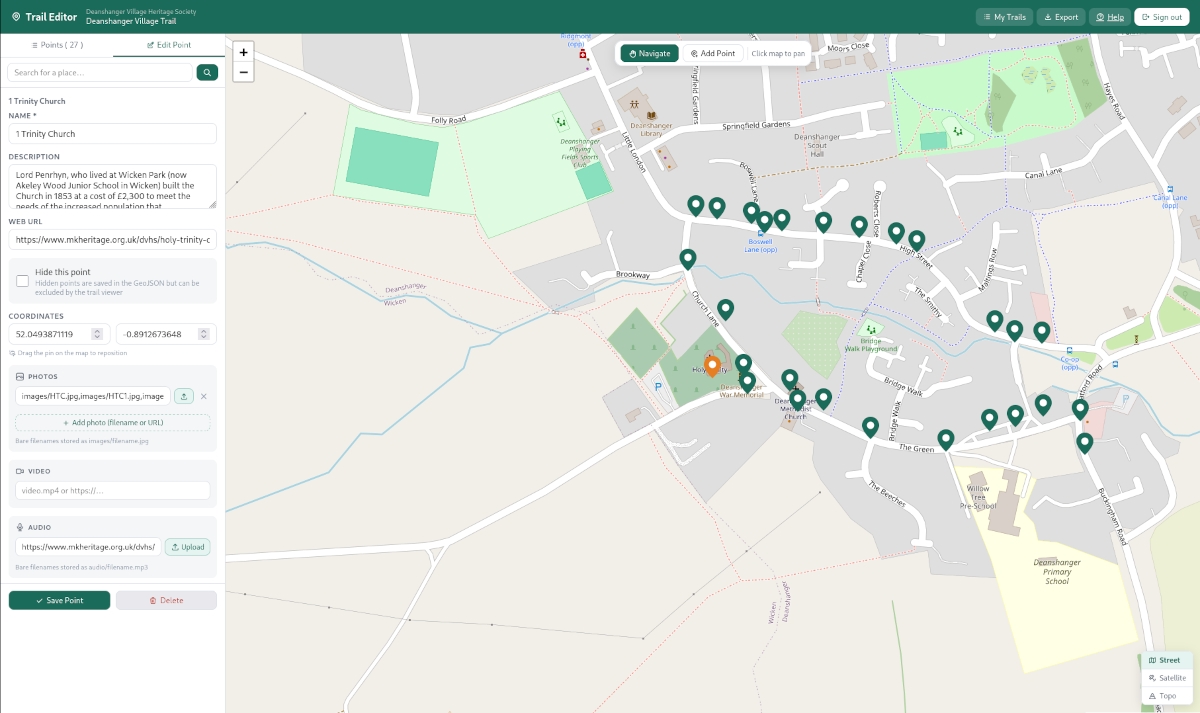
The starting point for any trail. Open the editor in your browser, find your village on the map, and start dropping pins. Each pin becomes a stop on your trail, with its own title, description, photo, and audio.

  • Click anywhere on the map to place a point of interest
  • Write a title and description for each stop
  • Attach a photo — drag and drop from your computer
  • Link an audio file for each stop
  • Drag pins to fine-tune their position
  • Download the finished trail as a GeoJSON file, ready to publish
Open the editor

Trail configuration editor

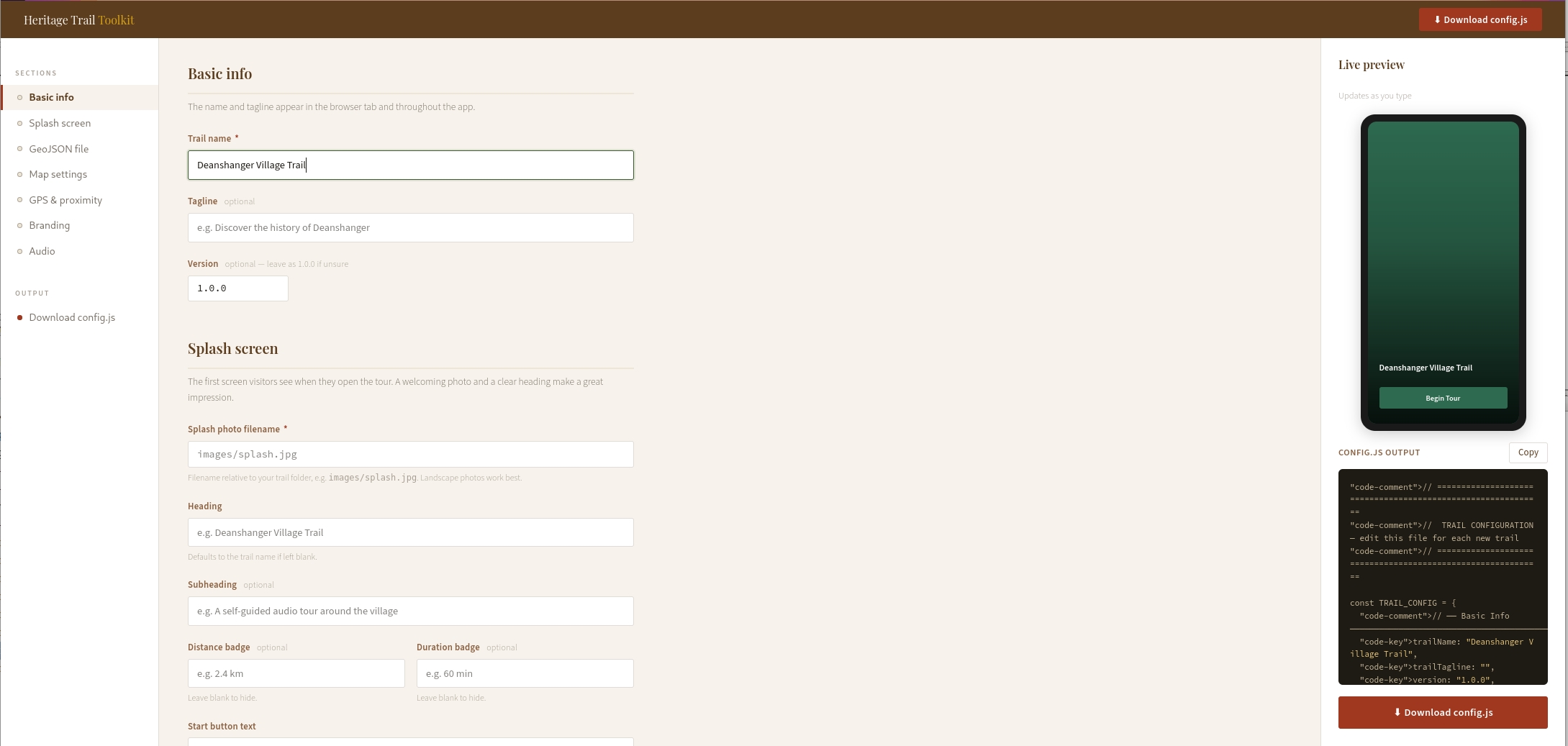
Every trail has a configuration file that controls how it looks and behaves — its name, colours, splash screen photo, and map settings. The config editor gives you a simple form to fill in, then downloads a ready-to-use file. No code to write.

  • Set your trail name, tagline, and start button text
  • Choose your brand colour with a colour picker
  • Select a map style — from clean street view to topographic
  • Set the GPS trigger radius for each point of interest
  • Live preview shows how your splash screen will look
  • Downloads a config.js file ready to drop into your trail folder
Open config editor

Walking tour app

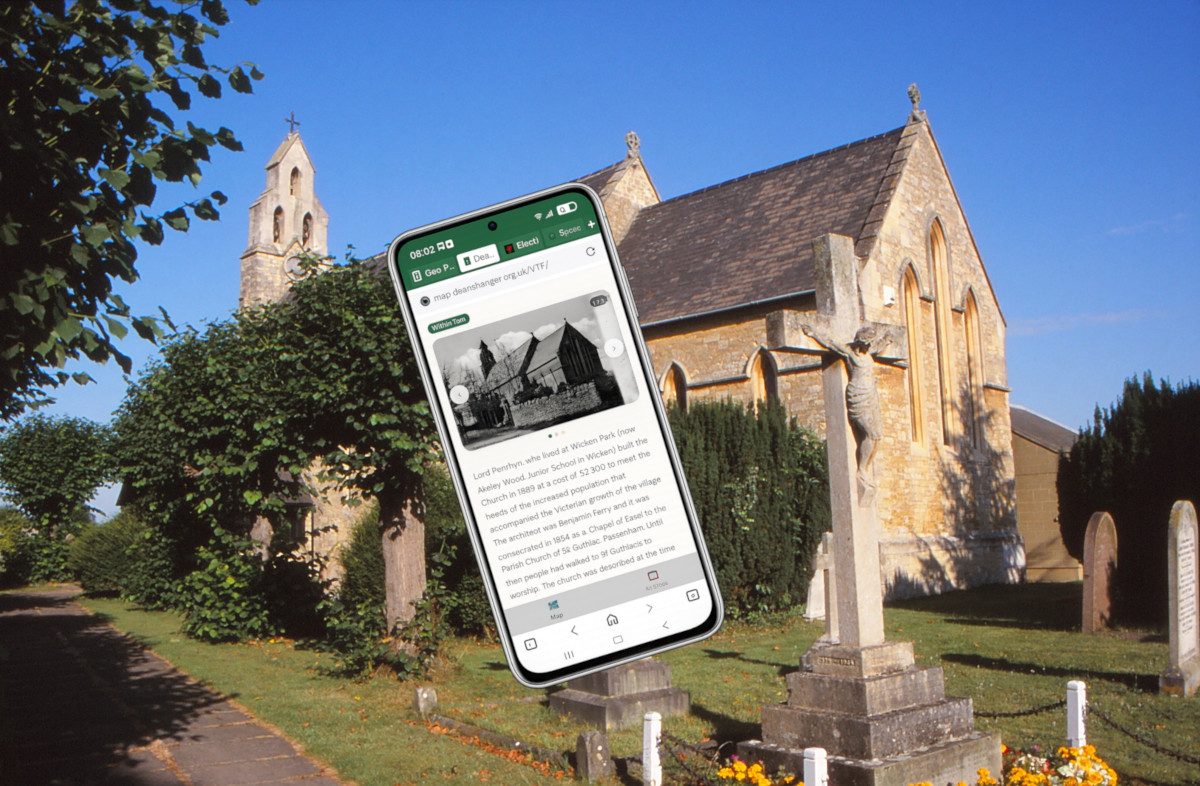
The app your visitors will actually use. It opens in any phone's browser — no download from an app store required. As visitors walk around, their phone's GPS detects when they're near a point of interest and automatically opens it, playing the audio guide and showing the photo and description.

  • Works on any smartphone — iPhone or Android
  • No app store download — opens straight from a link or QR code
  • GPS triggers points of interest automatically as visitors approach
  • Shows a live map with all stops marked
  • Auto-plays audio guides when a point opens
  • Works offline once loaded — no signal needed on the walk
  • Can be installed to the phone's home screen for easy return visits
See a live example

Hidden audio markers

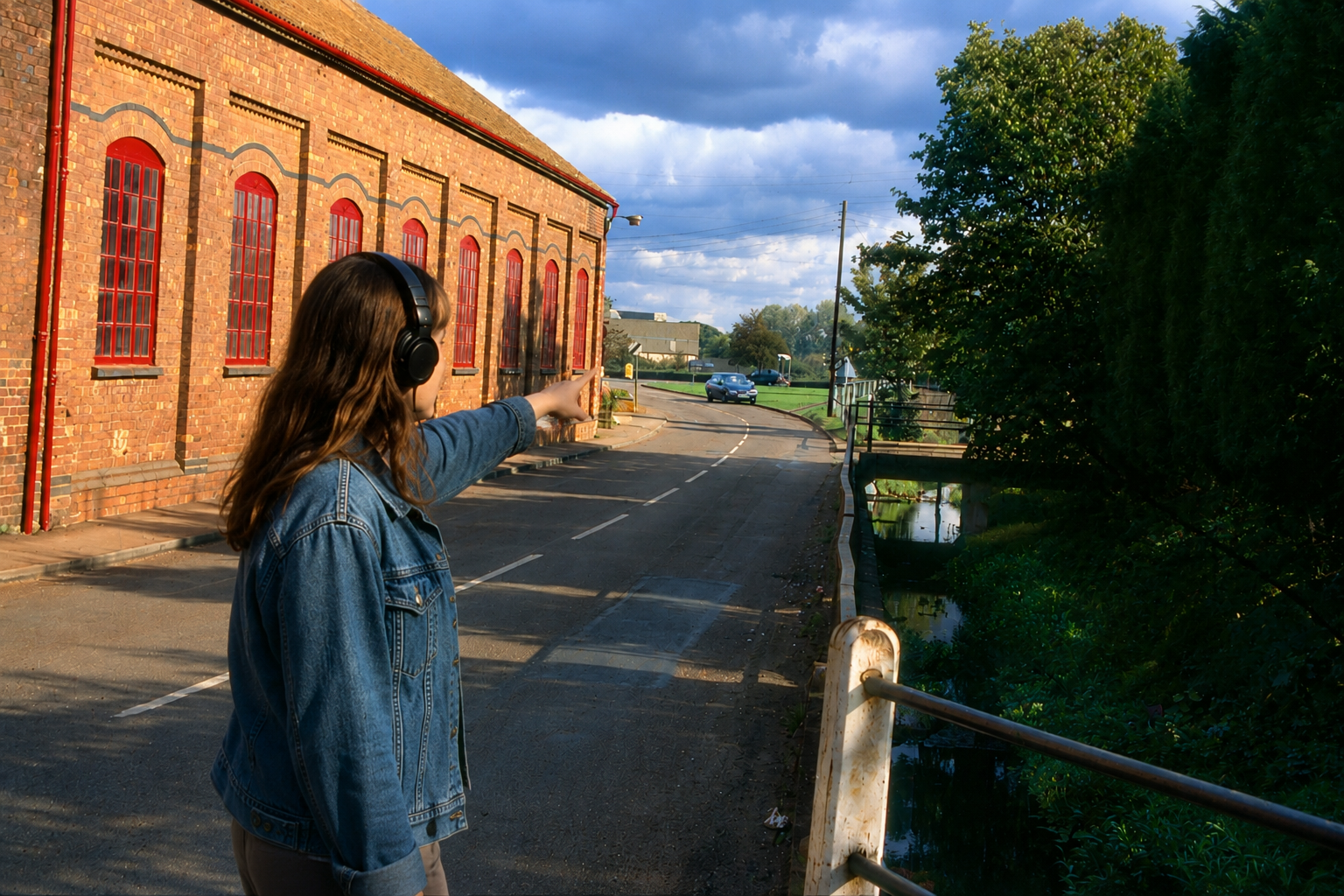
A variation on the walking tour app that adds a layer of discovery. Some stops are hidden — they don't appear on the map until a visitor physically walks close enough to trigger them. This creates a more exploratory experience, encouraging visitors to wander rather than simply follow a route.

  • Points of interest can be marked as hidden or visible
  • Hidden points only reveal themselves when a visitor is nearby
  • Ideal for nature trails, ghost walks, or discovery-style experiences
  • Audio triggers automatically on arrival — no tapping required
  • Pairs well with a printed map that hints at hidden locations
Learn more
Free templates

Printed leaflet & paper guide

Not everyone has a smartphone, and a well-designed paper leaflet is still one of the best ways to reach visitors at events, in village halls, or at tourist information points. We provide free templates and a short guide to help you produce your own.

  • Free A5 leaflet template in Word and Canva formats
  • Space for a map, stop descriptions, and photos
  • Include a QR code so paper readers can switch to the digital trail
  • Print at home, at a local copy shop, or order online from as little as a few pounds per hundred
  • Our guide covers layout, what to include at each stop, and where to distribute
Get the templates
📄 Printed leaflet templates

QR code poster generator

Once your trail is live, you'll want people to find it. Enter your trail's web address and this tool generates a print-ready poster with a large QR code, your trail name, and a short description. Print it, laminate it, and put it up at the trail's starting point.

  • Enter your trail URL and a title
  • Generates a clean A4 poster with QR code
  • Downloads as a PDF ready to print or share
  • Suitable for laminating and displaying outdoors
  • Works for any web address — not just Heritage Trail tours
Generate a QR poster
QR code generator

Not sure where
to begin?

Our practical guide walks you through every stage of creating a heritage trail — from that first idea to a finished trail with a QR code on the noticeboard.

  1. 1 Planning your trail Choosing a theme, deciding on stops, sketching a route, and thinking about your audience
  2. 2 Writing for a heritage trail How long each stop should be, what tone works, and how to make history feel alive
  3. 3 Sourcing and using historic images Where to find old photos, copyright considerations, and how to scan and prepare images
  4. 4 Recording an audio guide Recording good audio on any phone, editing basics, and saving files in the right format
  5. 5 Publishing your trail Setting up free hosting on GitHub Pages, step by step, with no technical knowledge assumed
  6. 6 Getting permissions What to ask landowners and councils, and what you need for outdoor signage
  7. 7 Funding your trail Grant sources relevant to community heritage projects, and tips for a strong application
Read the guide

Publishing your trail

Getting your trail
on the internet

Once your trail is built, you need somewhere to host it. There are a few options depending on what your group already has. GitHub Pages is the one we recommend for most groups — it's free, reliable, and takes about 20 minutes to set up.

Recommended
01

GitHub Pages

A free hosting service from GitHub. You upload your trail files through a website — no software needed. Your trail gets a permanent web address like yourgroup.github.io/trail-name. Our step-by-step guide walks you through the whole process.

Read the guide
If you have a website
02

Your existing hosting

If your society already has a website with hosting, you can upload the trail files to a folder on that server using an FTP program. Your web host or IT volunteer can usually help with this in an hour or less.

See the folder structure
Coming soon
03

WordPress plugin

If your group's website runs on WordPress, a plugin is in development that will let you manage and publish trails directly from your WordPress dashboard — no separate hosting required.

In development

Who uses it

Built for communities,
not developers

Heritage Trail is designed to be useful to anyone in a community who cares about local history — whatever their technical experience.

🏛️

Local history societies

Turn your archive and accumulated knowledge into a public trail that keeps history alive in the landscape, and introduces your society to a new audience.

🏘️

Parish & town councils

Commission a trail as part of a neighbourhood plan, a jubilee or centenary event, or a wider community engagement project. Trails can be updated or extended over time.

🎒

Schools & youth groups

Students can research, write, record, and publish their own trails as a local history project — developing digital skills and a sense of place at the same time.

🏡

Village volunteers

One enthusiastic person with a phone and an afternoon can get a first trail up and running. It doesn't have to be perfect to be valuable — trails can grow over time.

See it live

Live example trails

These trails were built using the same free tools available here. Open them on your phone and go for a walk for the full experience.

Deanshanger Village History walk · Northamptonshire Your trail here Submit your trail to be featured

A project by

Milton Keynes Heritage Association

Made in MK, free for everyone

Heritage Trail grew out of a toolkit developed for member groups of the Milton Keynes Heritage Association — organisations doing remarkable work to preserve local history across Buckinghamshire and Northamptonshire.

We're sharing it freely because great heritage work shouldn't depend on technical resources. If you're using these tools, we'd love to hear about it — and to feature your trail here.