The toolkit
Everything you need,
at no cost
Each tool is a standalone web app — open it in your browser, use it, and download the result. Nothing to install, no account required.
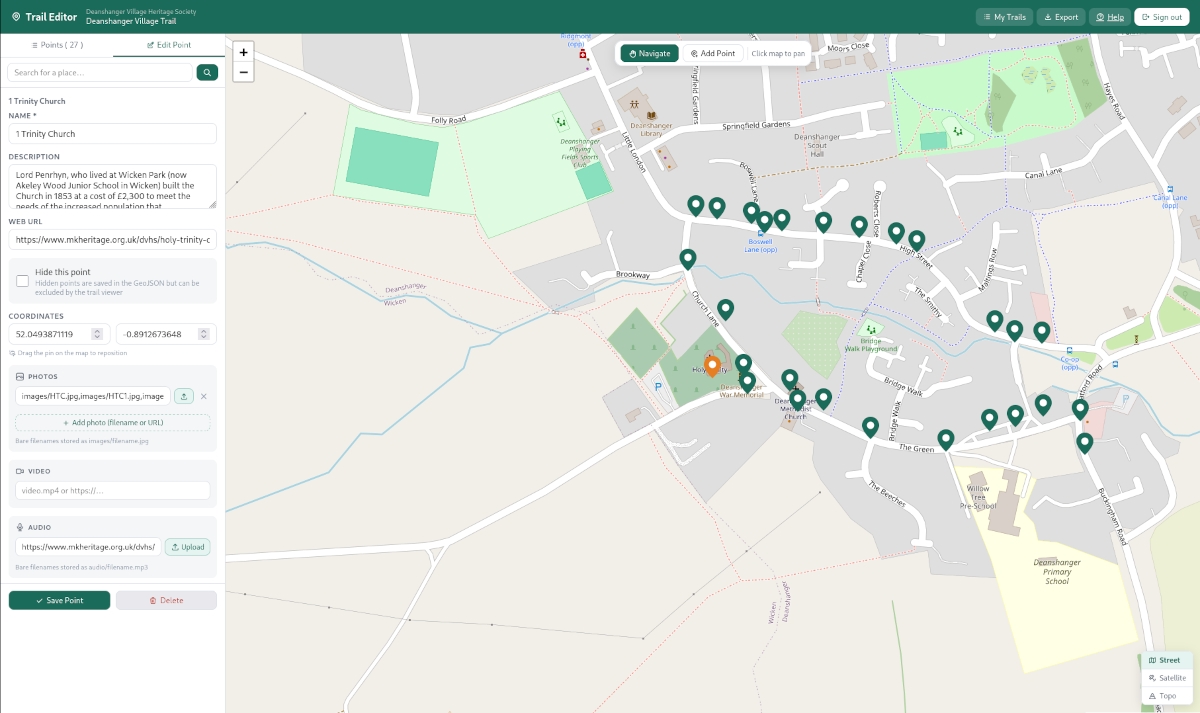
Map & points of interest editor
The starting point for any trail. Open the editor in your browser, find your village on the map, and start dropping pins. Each pin becomes a stop on your trail, with its own title, description, photo, and audio.
- Click anywhere on the map to place a point of interest
- Write a title and description for each stop
- Attach a photo — drag and drop from your computer
- Link an audio file for each stop
- Drag pins to fine-tune their position
- Download the finished trail as a GeoJSON file, ready to publish
Trail configuration editor
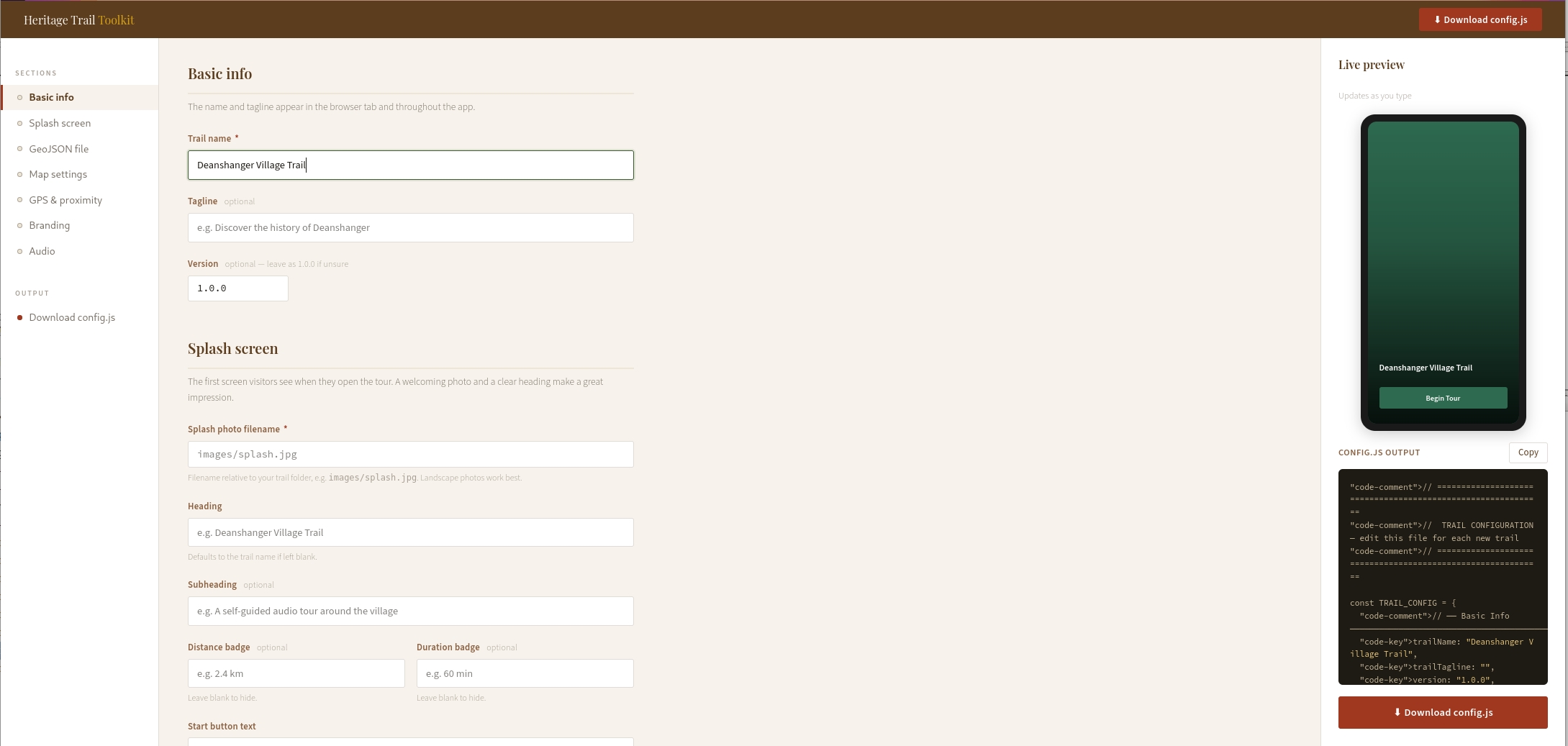
Every trail has a configuration file that controls how it looks and behaves — its name, colours, splash screen photo, and map settings. The config editor gives you a simple form to fill in, then downloads a ready-to-use file. No code to write.
- Set your trail name, tagline, and start button text
- Choose your brand colour with a colour picker
- Select a map style — from clean street view to topographic
- Set the GPS trigger radius for each point of interest
- Live preview shows how your splash screen will look
- Downloads a config.js file ready to drop into your trail folder
Walking tour app
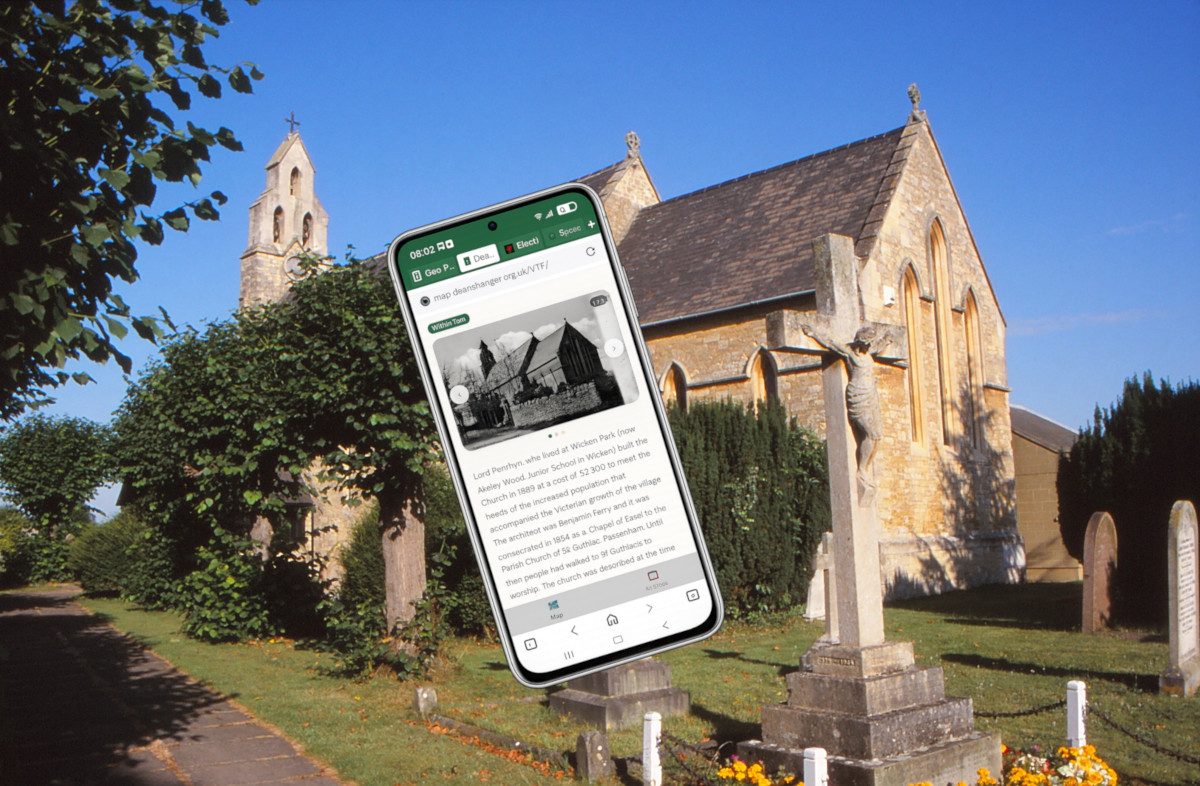
The app your visitors will actually use. It opens in any phone's browser — no download from an app store required. As visitors walk around, their phone's GPS detects when they're near a point of interest and automatically opens it, playing the audio guide and showing the photo and description.
- Works on any smartphone — iPhone or Android
- No app store download — opens straight from a link or QR code
- GPS triggers points of interest automatically as visitors approach
- Shows a live map with all stops marked
- Auto-plays audio guides when a point opens
- Works offline once loaded — no signal needed on the walk
- Can be installed to the phone's home screen for easy return visits
Hidden audio markers
A variation on the walking tour app that adds a layer of discovery. Some stops are hidden — they don't appear on the map until a visitor physically walks close enough to trigger them. This creates a more exploratory experience, encouraging visitors to wander rather than simply follow a route.
- Points of interest can be marked as hidden or visible
- Hidden points only reveal themselves when a visitor is nearby
- Ideal for nature trails, ghost walks, or discovery-style experiences
- Audio triggers automatically on arrival — no tapping required
- Pairs well with a printed map that hints at hidden locations

Printed leaflet & paper guide
Not everyone has a smartphone, and a well-designed paper leaflet is still one of the best ways to reach visitors at events, in village halls, or at tourist information points. We provide free templates and a short guide to help you produce your own.
- Free A5 leaflet template in Word and Canva formats
- Space for a map, stop descriptions, and photos
- Include a QR code so paper readers can switch to the digital trail
- Print at home, at a local copy shop, or order online from as little as a few pounds per hundred
- Our guide covers layout, what to include at each stop, and where to distribute
QR code poster generator
Once your trail is live, you'll want people to find it. Enter your trail's web address and this tool generates a print-ready poster with a large QR code, your trail name, and a short description. Print it, laminate it, and put it up at the trail's starting point.
- Enter your trail URL and a title
- Generates a clean A4 poster with QR code
- Downloads as a PDF ready to print or share
- Suitable for laminating and displaying outdoors
- Works for any web address — not just Heritage Trail tours